Kling 4.0Kling 4.0
  • Create
  • Models ?
    Kling 3.0 OmniKling 4.0 vs 3.0
  • Pricing
  • Blog
Kling 4.0Kling 4.0
Kling 4.0Kling 4.0

Product

CreateKling AI pricingKling 3.0 OmniKling 4.0 vs Kling 3.0Kling 4.0 blog

Legal

Privacy PolicyRefund PolicyTerms
StripeVisaMastercard
© 2026 Kling40.app. Independent platform; not affiliated with, sponsored by, or endorsed by Kuaishou or Kling AI.
Home/Kling 3.0 Omni

Kling model series / Omni

Kling 3.0 OmniAI Video Generator

Turn an image into video with a clear scene prompt. Add your starting image, review the credit cost and generate.

Image to video

Start with a frame.

Guide its movement, mood and camera with a prompt.

Start with an image

Original outputs

See what we generated

Watch three original outputs, then open a case to see its input and full prompt. Results vary between runs.

Your browser does not support video playback.

Image to video

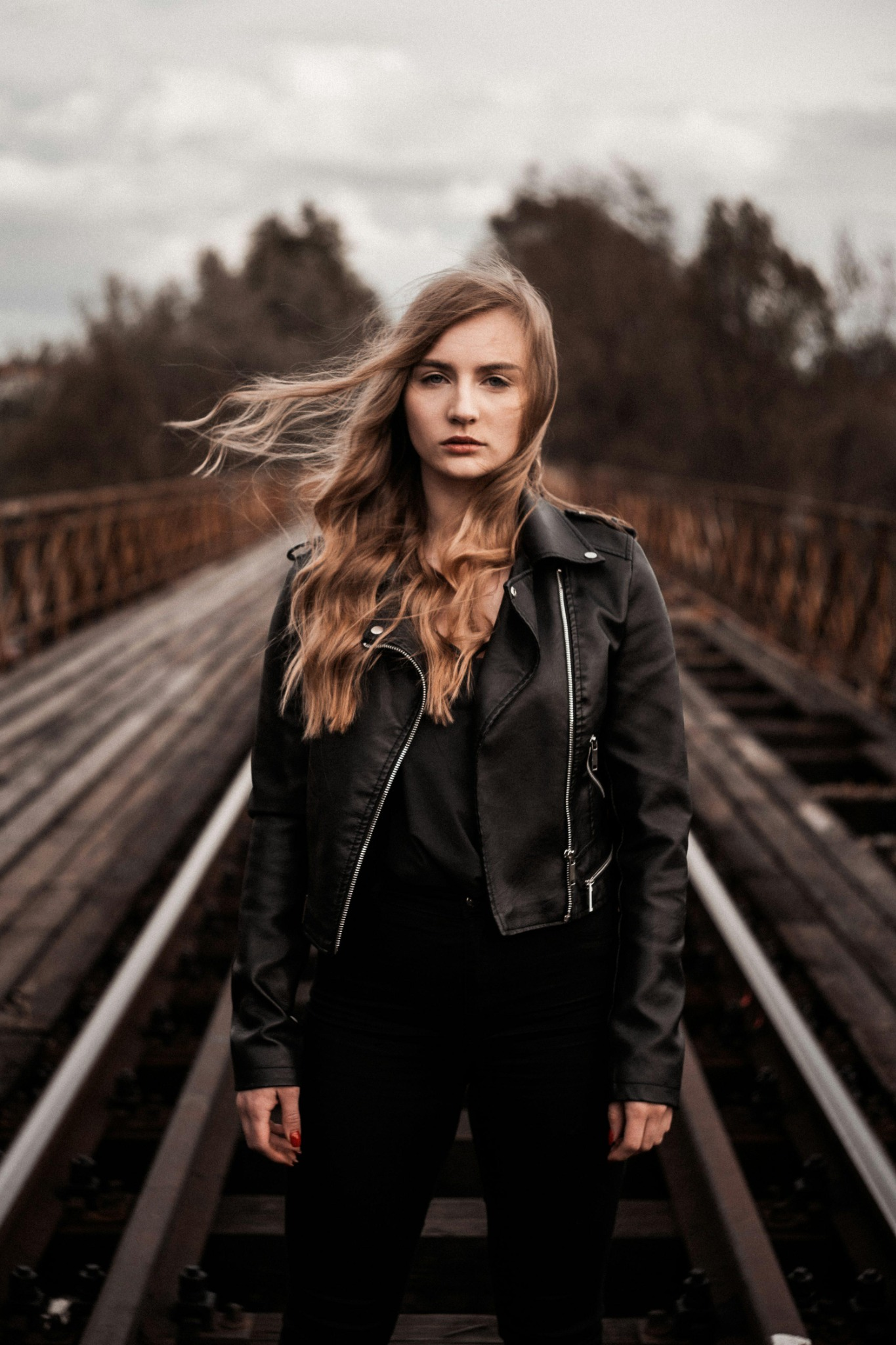
Wind on the railway bridge

A reference portrait becomes a single cinematic shot as wind moves the subject’s hair and the camera pushes in.

3s/2:3/784 × 1176

Input, prompt & notes+
Original input image for Wind on the railway bridge

Input image included with this example

Original prompt

The blonde woman in the reference image suddenly takes one confident step toward the camera as a powerful gust of wind sweeps her long hair dramatically backward. Her black leather jacket moves naturally in the wind. She maintains intense eye contact with the camera, her expression calm but fearless. The camera performs a fast, smooth dolly-in with subtle handheld cinematic energy, creating a dramatic sense of depth along the railway bridge. Realistic hair physics, natural body movement, sharp facial details, authentic skin texture, moody overcast lighting, premium Hollywood thriller cinematography. One continuous shot. Preserve the woman's exact facial identity, clothing, and original environment. No slow motion, no face distortion, no scene changes, no unnatural movement, no text or logos.

Reference image supplied with the example. Duration and output dimensions were read from the video file; the original generation date and audio generation setting were not supplied. The supplied video file has no audio track.

No audio track
Your browser does not support video playback.

Image to video

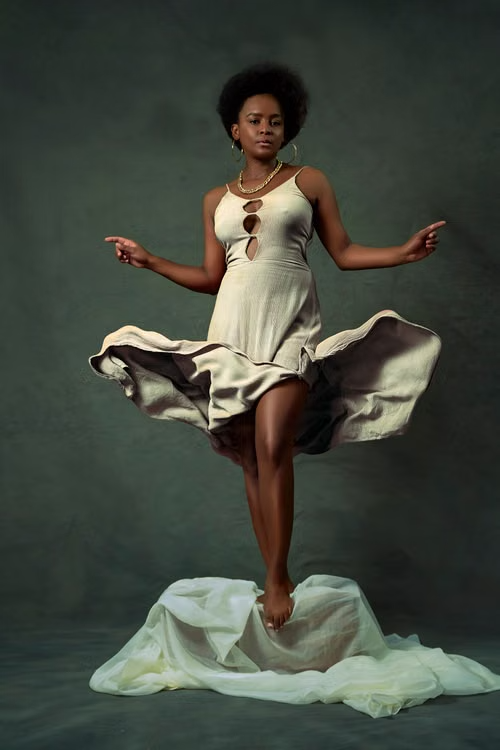
Orange cape fashion reveal

A studio portrait shifts to sunlit stone arches as the model steps forward and opens an orange cape.

3s/2:3/784 × 1176

Input, prompt & notes+
Original input image for Orange cape fashion reveal

Input image included with this example

Original prompt

A striking luxury fashion campaign filmed in one continuous cinematic shot. The woman in the reference image takes one confident step forward as a sudden, controlled gust of wind lifts her vibrant orange cape high behind her, transforming the flowing fabric into enormous, elegant wings. The cape rises dramatically, catches the sunlight, and forms a spectacular symmetrical silhouette against the historic stone arches. The camera moves slightly backward to reveal the full flowing fabric while keeping the model centered. Realistic fabric physics, beautiful silk folds, powerful natural movement, sharp facial details, warm Mediterranean sunlight, sophisticated luxury fashion cinematography. The entire action happens immediately, with a visually striking fabric reveal in the first second. Preserve the woman's identity, yellow dress, orange cape, original architecture, and natural body proportions. No scene cuts, no slow motion, no distorted hands, no extra limbs, no melting fabric, no unnatural floating, no text or logos.

The clip starts in the dark green studio, shifts to sunlit stone arches around the first second, then reveals the orange cape. Duration and dimensions were read from the video file; the generation date and audio setting were not supplied.

No audio track

Your browser does not support video playback.

Image to video

Astronaut and the awakening monolith

A lone astronaut faces a glowing alien monolith as its energy erupts across a dark planetary landscape.

3s/9:16/720 × 1280

Input, prompt & notes+
Original input image for Astronaut and the awakening monolith

Input image included with this example

Original prompt

An extraordinary photorealistic IMAX science-fiction spectacle, beginning from the exact composition of the reference image. The colossal alien monolith suddenly activates, splitting open vertically to reveal a blinding white-gold energy core. An immense circular gravitational wave erupts outward, lifting enormous clouds of dust and rocks into the air. Behind the structure, the alien sky fractures into a gigantic luminous celestial vortex, revealing the breathtaking scale of an unknown universe. The astronaut remains in the foreground, dwarfed by the impossible cosmic event, instinctively bracing against the shockwave. Powerful light floods the spacesuit and surrounding terrain with realistic reflections and shadows. The camera rapidly pulls backward, revealing the monumental scale of the awakening structure and the collapsing atmosphere. Ultra-photorealistic Hollywood blockbuster VFX, immense scale, spectacular volumetric lighting, physically believable dust and debris, dramatic contrast, breathtaking cinematic composition. Immediate visual impact, one continuous shot, no cuts, no cartoon effects, no distorted astronaut, no flickering, no text, no logos.

Reference image supplied with the example. Duration, dimensions, and absence of an audio track were read from the supplied video file. The original generation date and audio generation setting were not supplied.

No audio track

The model

What is Kling 3.0 Omni?

Kling Video 3.0 Omni is a separate, reference-led model in Kuaishou's Kling 3.0 family. Kling describes native audio, visual references and custom multi-shot storyboards, with model-level generation up to 15 seconds. The quick form on this page creates a 3-second silent image-to-video clip; check the homepage generator for other available modes and settings.

Model background: Kuaishou's official announcement, 5 February 2026. Site modes below reflect the current integration, not every feature of Kuaishou's own product.

Developer
Kuaishou
Model family
Kling 3.0 Omni
Site integration
Text, image, reference and edit modes
Last reviewed
14 October 2026
Choose the input you have
01

Text to video

Begin with a written scene and direct the action, setting and camera.

02

Image to video

Use a permitted image to guide the opening visual.

03

Reference to video

Bring supported image or video references into the scene.

04

Video edit

Transform a source video with a written direction.

Try other modes in the homepage generator →

Creative controls

Direct the inputs, then the scene

This page uses a starting image. For reference, edit, and audio controls, choose a supported mode in the homepage generator.

For available plans and credits, see Kling AI pricing.

Planning a longer scene or more reference inputs? Read the Kling 4.0 vs Kling 3.0 comparison before choosing a model.

01

Visual references

Reference to Video accepts supported images or a video reference. Use media you have permission to submit.

02

Recurring subjects

Describe identifying details for the subject and use permitted references where supported. Check the full result for consistency.

03

Sound direction

Add sound or dialogue instructions when the selected mode offers an audio option. Confirm the setting before submitting.

04

Shot planning

Give each shot a clear action and camera direction. Where a storyboard control is available, review its timing before generating.

The workflow

From an idea
to a video.

Three decisions between your source material and a finished result.

01

Add an image and describe the motion

Upload your starting image, then name the subject action and camera movement. State what must stay unchanged, such as the face, clothing and setting.

02

Review the credit cost

This page uses a 3-second, 720p image-to-video setup. Check the credit quote on the Generate button before submitting.

03

Generate and refine

Follow the task in your workspace, watch the full result and change one part of the prompt or starting image for the next attempt.

Choose a workflow

Kling 3.0 or Kling 3.0 Omni?

Use the image-to-video form above for a quick start. To compare text, reference, or edit workflows, open the homepage generator and select the available model and mode there.

Current workflows available through this site
WorkflowKling 3.0Kling 3.0 Omni
Text or starting imageSupported modesSeparate text and image modes
Image or video referencesNo separate reference mode hereReference to Video mode
Source video editingNo separate edit mode hereVideo Edit mode

Good to know

Frequently asked questions

What is Kling 3.0 Omni?+

It is a model in the Kling 3.0 family by Kuaishou. This page offers a simple image-to-video generator; the homepage generator provides other available workflows.

How is it different from Kling 3.0?+

Video 3.0 and Video 3.0 Omni are separate models in the Kling 3.0 family. Video 3.0 is suited to prompt-led scenes; Omni adds reference-led workflows and custom multi-shot storyboards. The controls available on this site depend on the selected mode.

Can I use an image or video reference?+

You can upload a starting image here. For supported reference-video or editing inputs, use the homepage generator and check the limits shown for that mode.

Can it generate audio?+

This page generates without sound. For supported audio options, check the selected mode in the homepage generator before including sound or dialogue in your prompt.

How much does a generation cost?+

The button on this page shows the credit cost for its 3-second image-to-video task. Other modes and settings have their own quote in the homepage generator.

Ready to create a scene?

Start here with an image, or use the homepage generator to choose another available workflow. Review the cost before generating.

Generate from an image →

Sources and scope

Kuaishou's official announcement describes the Kling 3.0 model family. This page's generator is set to 3-second image-to-video; other configured modes and settings are available through the homepage generator. Model information reviewed 14 October 2026.

Kuaishou: Kling AI launches the 3.0 model series →